In brief
- Microsoft is bringing Anthropic's Claude models in Copilot into the EU Data Boundary. According to the announcement of 5 November 2026, organisations in the EU and EFTA will be able to use Claude with processing inside that boundary before the end of 2026, including in Copilot Cowork.
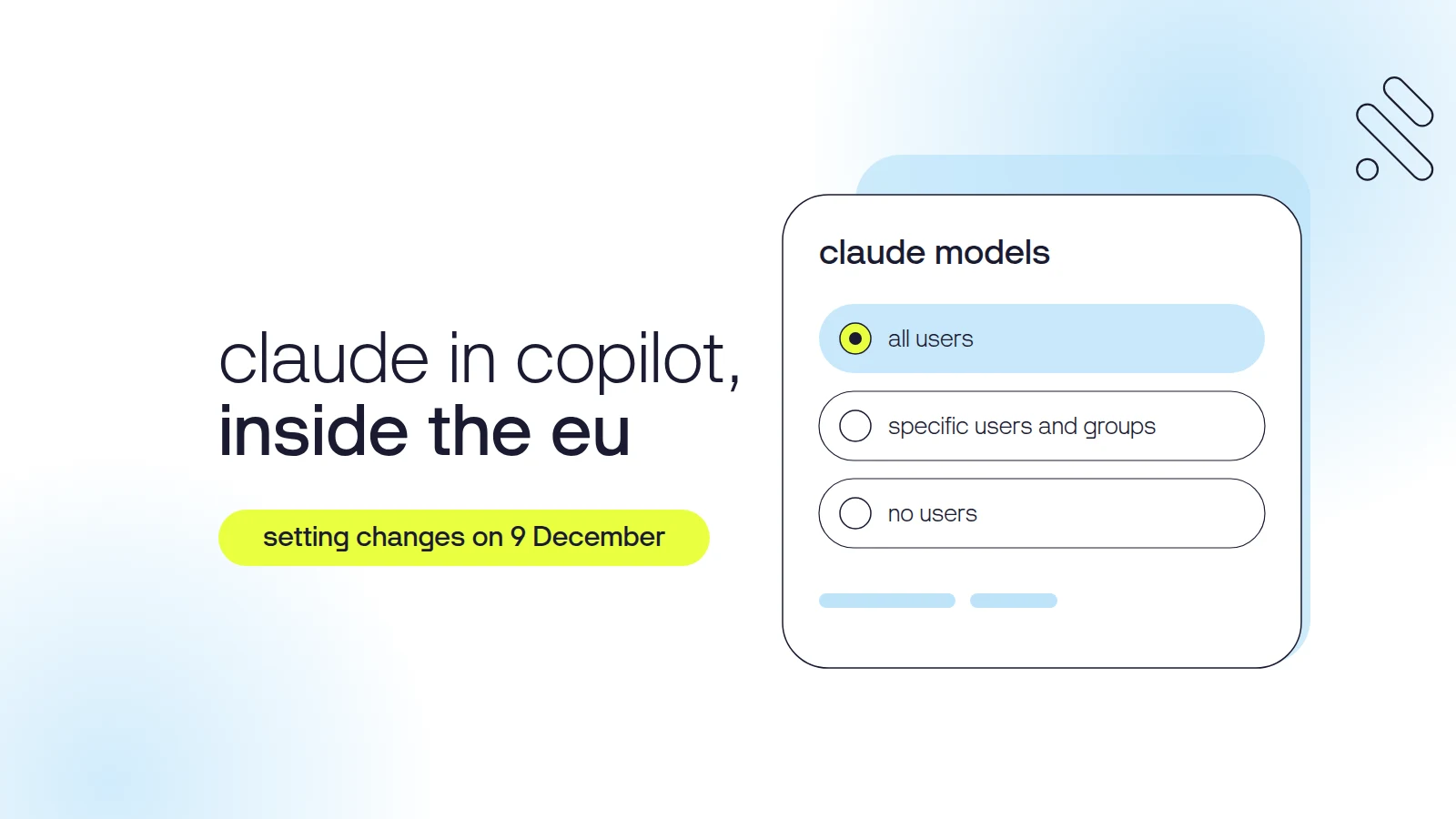
- On 9 December 2026 the setting in the Microsoft 365 admin center changes. If your organisation has not made a choice yet, or has enabled Claude only in Word, Excel and PowerPoint, Claude moves to all users according to Microsoft Learn.
- Until the move, Claude in Copilot processes data outside the EU Data Boundary. Microsoft gives no exact date for the move, and no price.

On 5 November 2026 Microsoft announced that Anthropic's Claude models in Microsoft Copilot are coming into the EU Data Boundary. Organisations in the EU and EFTA will then be able to use Claude in Copilot with processing inside that boundary. That is in Microsoft's announcement. Separately, the setting admins use to enable Claude changes on 9 December, according to Microsoft Learn.
What changes
According to Microsoft, Claude already powers work in Chat, Copilot in the Microsoft 365 apps, Copilot Cowork and Copilot Code, among others. Before the end of 2026, processing for these models should fall inside the EU Data Boundary, where the data of organisations in the EU and EFTA is already stored. Microsoft says it will share more details later. If you already use Claude, you do not need to do anything: processing moves automatically.
On 9 December the option to enable Claude only in Word, Excel and PowerPoint disappears. The change applies to tenants in the EU, EFTA and the United Kingdom. Microsoft Learn lists what happens to your current choice:
| Choice before 9 December | Choice from 9 December |
|---|---|
| No selection made | All users |
| All users for Microsoft 365 apps only | All users |
| All users for all Copilot and generative AI experiences | All users |
| Specific users and groups | Specific users and groups |
| No users | No users |
What this means in the Netherlands and the EU
- Availability: the announcement names the EU and EFTA, before the end of 2026. The Netherlands is included.
- Processing: until the move, it happens outside the EU Data Boundary according to Microsoft Learn. Microsoft says "starting in December 2026", without a day. Whether the move comes before or after 9 December is not stated.
- Default setting: according to the blog, Claude is off by default in the EU and EFTA. For tenants created after 25 March 2026, Microsoft Learn says the option for Word, Excel and PowerPoint only is on by default. That option moves to all users on 9 December.
- Contract: according to Microsoft Learn, Anthropic works here as a Microsoft subprocessor, under Microsoft's Product Terms and Data Protection Addendum (DPA). That does not apply to what Microsoft calls "Anthropic models with Data Retention", such as Fable 5 and Mythos 5. Those fall under Anthropic's own terms, and Anthropic stores most inputs and outputs for up to 30 days, longer if a breach of its usage policy is suspected. The announcement does not say whether those models move into the boundary as well.
- Price and language: the announcement mentions no price and nothing about Dutch.
In our piece on ISO 27001 and AI we recommend treating the supplier of a model like any other supplier and recording where your data is processed. A subprocessor that is added for all users belongs in that record. How we set up models under your own control is covered under AI infrastructure.
What you can do now
- 1Check the setting before 9 December. In the Microsoft 365 admin center, go to Copilot, Settings, View all, AI providers operating as Microsoft subprocessors, and select Anthropic. You need the AI Administrator or Global Administrator role.
- 2Pick an option yourself and save it: all users, specific users and groups, or no users. If you want no processing outside the EU Data Boundary, turn Claude off for now. A small test group limits the scope, but its processing also happens outside the boundary until the move.
- 3Read the message of 9 November in the Message center of the admin center. Microsoft Learn refers to it for details; its title starts with "Action may be required: Claude models in Microsoft Copilot".
Frequently asked questions
Is Claude in Microsoft Copilot available in the Netherlands?
Yes, if an admin enables it. In the EU and EFTA, Claude is off by default according to Microsoft, except in tenants created after 25 March 2026: there the option for Word, Excel and PowerPoint is on by default. From 9 December 2026, Claude moves to all users in organisations that have made no choice or had enabled Claude only in Word, Excel and PowerPoint.
What does Claude in Microsoft Copilot cost?
Microsoft's announcement about the EU Data Boundary mentions no separate price for Claude in Copilot, and neither do the Microsoft Learn pages about the setting. About the EU Data Boundary itself, Microsoft says it is included in the contract for eligible Microsoft 365 customers in the EU and EFTA, with no opt-in or additional purchase needed.
Where is my data processed when I use Claude in Copilot?
Currently outside the EU Data Boundary. Microsoft is bringing processing for organisations in the EU and EFTA inside that boundary before the end of 2026, starting in December 2026, without an exact date. Microsoft does not say whether this also applies to the Anthropic models with Data Retention; those fall under Anthropic's own terms.